Moving Off a Cloud Provider Without Drama
Leaving is harder than arriving, mostly because of things that accumulated quietly: managed services, egress and forgotten dependencies.
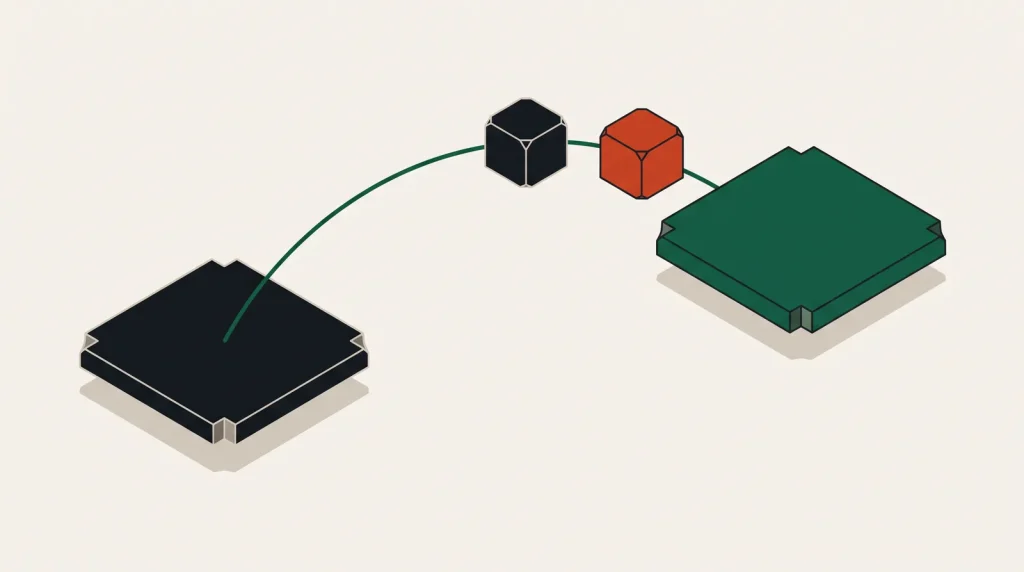
Arriving on a cloud platform is designed to be easy. Leaving is not designed to be hard, but it is harder, because of what accumulates: managed services with no direct equivalent, data with an egress price, and integrations nobody has looked at in years.
What actually makes it difficult
| Dependency | Difficulty | Alternative |
|---|---|---|
| Virtual machines | Low | Instances anywhere |
| Object storage | Low | S3-compatible storage is widespread |
| Managed PostgreSQL or MySQL | Low to moderate | Same engine elsewhere |
| Managed Kubernetes | Moderate | Managed Kubernetes elsewhere |
| Proprietary databases | High | Requires re-architecture |
| Serverless functions | Moderate to high | Different event models |
| Identity and access integration | High | Deeply woven into everything |
| Provider-specific messaging and workflow | High | Often no direct equivalent |
The pattern: standard technologies move easily, proprietary ones do not. That is the practical meaning of lock-in, and it is a spectrum rather than a state.
Plan the exit
- Inventory everything, including the services you forgot you enabled.
- Classify each dependency by how hard it is to replace.
- Price the destination properly — compute, storage, egress, managed services, support.
- Estimate the data transfer volume and cost.
- Decide what moves, what gets replaced with something else, and what gets retired.
- Sequence it: least coupled first, data last.
- Set a realistic timeline, then extend it.
Data transfer
For large datasets, egress is both a cost and a duration problem.
- Ask about egress waivers for a full migration — several providers now offer them following regulatory change in Europe.
- Compress before transferring; it reduces both cost and time.
- For very large volumes, physical transfer appliances exist and are sometimes faster than the network.
- Transfer incrementally over time rather than in one burst, spreading cost and reducing risk.
- Verify integrity with checksums on arrival, not just successful completion.
- Keep the source data until the destination is verified and running.
Replacing managed services
- Managed database to managed database at the new provider, same engine, using replication.
- Object storage to S3-compatible storage, using a sync tool that verifies as it goes.
- Serverless functions to containers on a managed container platform, which usually simplifies as well as moves them.
- Provider-specific messaging to a standard broker you run or a managed equivalent.
- Identity integration to a standalone identity provider, which is usually the largest single piece of work.
- Monitoring and logging to a provider-neutral stack, ideally before the move so you retain visibility throughout.
Moving observability first is a small effort that pays off, because you keep the ability to see what is happening during every subsequent step.
Decommission properly
The step that gets abandoned once the new environment works, and then bills for months:
- Keep the old environment running for an agreed period — typically two to four weeks after full cutover.
- Take a final backup of everything and store it independently.
- Delete resources in dependency order, so nothing fails unexpectedly.
- Check every region, not only the ones you used deliberately.
- Remove reserved addresses, snapshots and volumes, which persist after instances are gone.
- Cancel support plans and any commitments you can exit.
- Close the account formally once everything is verified, and export the audit log first if you need it for compliance.
Commitments — reserved instances and savings plans — generally continue billing after you stop using the resources. Check the remaining term before assuming the bill ends with the last instance.
Common questions
Will they charge for egress on the way out?
Historically yes; several providers now waive it for verified full migrations. It requires a request rather than being automatic, so ask before budgeting for it.
How long should the old environment stay?
Two to four weeks after full cutover is a reasonable default. Long enough to catch anything that only runs monthly, short enough not to be paying indefinitely.
What is the hardest thing to move?
Identity and access integration, and anything using a proprietary database or workflow service. Those often require re-architecture rather than migration.
Should I keep the old account open?
Only until decommissioning is complete and any required audit logs are exported. An open account with forgotten resources is both a cost and a security exposure.
Where to go next
Read next
Database Migration Strategies
The database is the hardest part of any migration, because it is the only part where a mistake loses something you…
Planning a Cloud Migration That Does Not Overrun
Migrations overrun because the inventory was incomplete, not because the technology was hard. Start with the list.
Migrating a Website to a New Cloud Server
A single-site move is a well-understood procedure. Following it in order is what turns a stressful evening into a…