Security Groups, Firewalls and What Actually Filters Your Traffic
Cloud networks have several filtering layers with confusingly similar names. Knowing which one is blocking you saves hours.
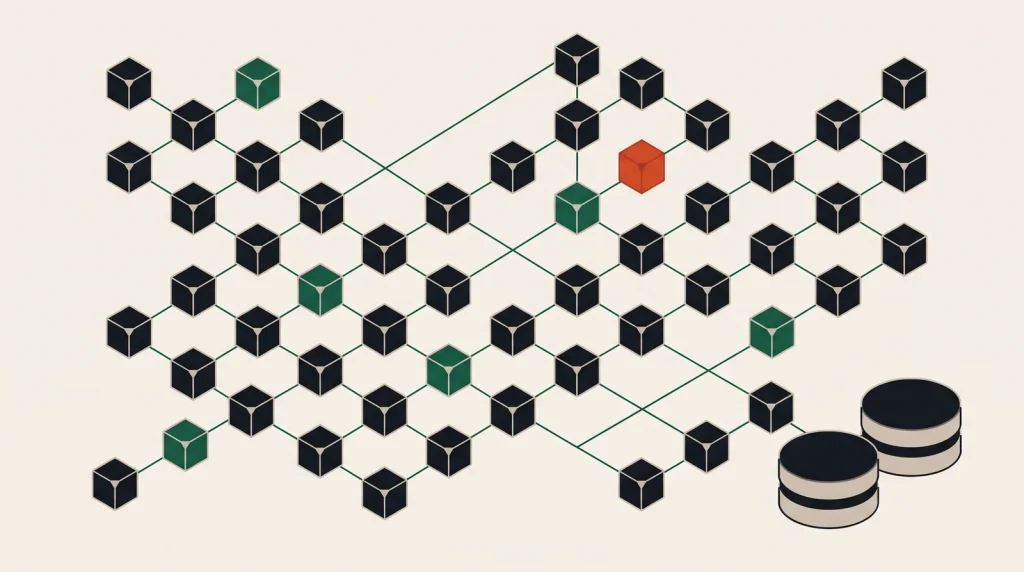
A packet reaching your application has usually passed through three or four filters. When something is unreachable, knowing which layer is responsible is most of the diagnosis.
The layers, outermost first
- Provider edge / DDoS protection — largely invisible, handles volumetric attacks.
- Network ACLs (AWS) or subnet-level rules — stateless, evaluated in order, allow and deny.
- Security groups or cloud firewalls — stateful, attached to instances or interfaces, allow-only on most platforms.
- Host firewall —
ufw,firewalld,iptables, running on the machine itself. - Application binding — whether the process listens on
0.0.0.0or127.0.0.1.
Traffic must pass every layer. A single deny anywhere stops it, which is why “the security group is open but it still does not work” usually ends at layer four or five.
Stateful versus stateless
| Stateful (security groups) | Stateless (network ACLs) | |
|---|---|---|
| Return traffic | Allowed automatically | Needs its own explicit rule |
| Rule types | Allow only, on most platforms | Allow and deny |
| Evaluation | All rules considered | In numbered order, first match wins |
| Attached to | Instance or network interface | Subnet |
| Typical use | Everyday access control | Broad blocks, such as banning a range |
The classic stateless mistake: allowing inbound port 443 but forgetting outbound ephemeral ports for the response, so connections hang rather than fail cleanly.
Design rules people can still read in a year
- Reference groups, not addresses. Allow the application security group to reach the database security group. The rule stays correct as instances change.
- One group per role — web, application, database, bastion. Not one group per instance.
- Name and describe every rule. “Temporary — remove after migration” with a date has saved many audits.
- No
0.0.0.0/0except on genuinely public ports — 80 and 443 on a load balancer, and nothing else. - Never open SSH or RDP to the world. Use a bastion, a VPN, or the provider’s session manager.
- Databases never get a public rule. Private subnet, private access only.
The reachability checklist
- Is the process listening, and on which address?
ss -tulpn. - Does the host firewall allow it?
ufw statusorfirewall-cmd --list-all. - Does the security group allow inbound on that port from that source?
- Does the subnet ACL allow both directions, if the platform has one?
- Is there a route to the internet — internet gateway, NAT, or a public IP assigned?
- Is the load balancer health check passing, if one is in front?
- Is DNS resolving to the address you expect?
Work down the list in order. Guessing which layer it is takes longer than checking all seven.
Egress deserves rules too
Most estates allow all outbound traffic because it is convenient. Restricting it is what limits damage after a compromise — malware that cannot reach its command server is much less useful.
A workable middle ground: allow outbound HTTPS to package repositories and provider endpoints, deny everything else, and use VPC endpoints or private service access so traffic to the provider never leaves the private network.
Common questions
Why can my instance reach the internet but nothing can reach it?
Usually no public address, or a NAT gateway providing outbound only. Outbound through NAT does not make an instance reachable inbound.
Should I use a network ACL as well as security groups?
For most estates security groups are sufficient. Add ACLs when you need an explicit deny — blocking a range across an entire subnet, for instance.
How do I allow access from an office with a changing IP?
A VPN or bastion is the durable answer. Maintaining an allow-list against a dynamic address turns into a support ticket every few weeks.
Do private subnets need firewalls?
Yes. Lateral movement after an initial compromise is exactly what internal rules limit. Treat the private network as hostile.
Where to go next
See cloud networking basics for how VPCs and subnets fit together, and Linux server hardening for the host layer.
Read next
A Backup Strategy That Survives a Bad Day
Snapshots in the same account protect against the failures that rarely happen and not the ones that do.
Audit Logging: The Thing You Wish You Had Turned On
Audit logs are useless the day you enable them and invaluable the day something goes wrong.
Linux Server Hardening That Actually Matters
Hardening guides run to hundreds of items. About eight of them account for nearly all the real-world benefit.