Reserved Instances, Savings Plans and Committed Use
Commitment discounts are the largest single reduction available on hyperscaler compute. They are also the easiest way to lock in a mistake.
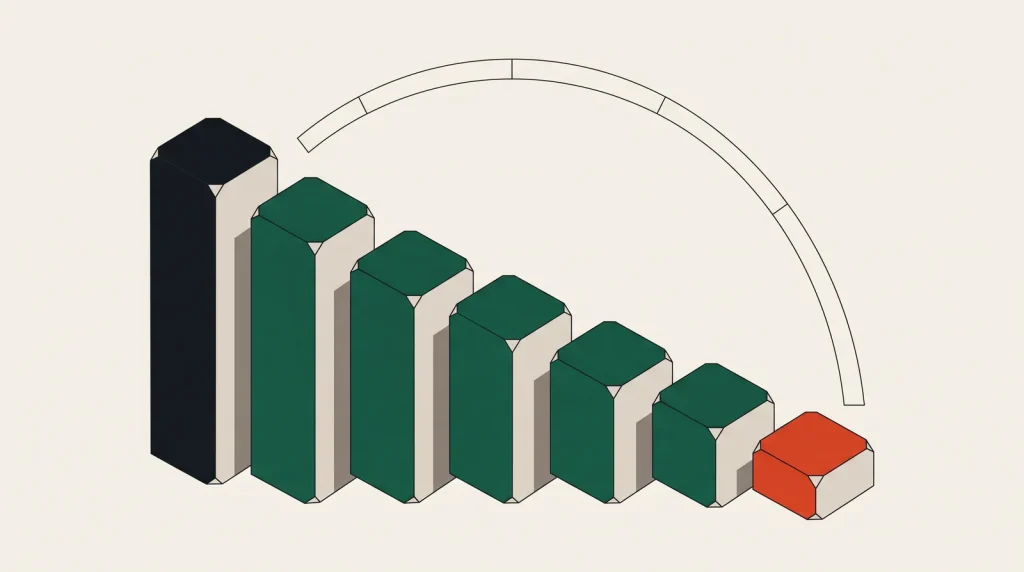
Cloud providers would rather have predictable revenue than maximum flexibility, and they pay for it. Commit to a level of spend or capacity for one or three years and compute costs drop by 30 to 60 per cent.
The discount is real and substantial. The risk is that you commit to the wrong thing.
The mechanisms
| Provider | Mechanism | Flexibility |
|---|---|---|
| AWS | Savings Plans (compute or EC2 instance) | Compute plans apply across families and regions |
| AWS | Reserved Instances | Tied to family; convertible RIs can be exchanged |
| Azure | Reserved VM Instances | Scoped to a subscription or shared |
| Azure | Savings Plan for compute | Hourly spend commitment across services |
| Google Cloud | Committed use discounts | Resource-based or spend-based |
| Oracle / IBM / Alibaba | Subscription and commitment tiers | Varies; often negotiated |
Prefer the flexible form where it exists. AWS Compute Savings Plans and GCP spend-based commitments apply to a dollar amount rather than a specific machine type, so the discount survives changing your architecture.
The rule that prevents regret
Commit to the baseline you would still be running if the business stopped growing tomorrow.
- Chart hourly compute spend for the last three months.
- Find the minimum — the level that runs every hour, including weekends and quiet periods.
- Commit to about 70 to 80 per cent of that minimum.
- Everything above it stays on demand.
- Revisit quarterly and add another layer as the baseline rises.
Layering commitments over time is the practical approach. Each new commitment covers newly stable capacity, so you never bet on a single forecast.
One or three years
Three-year terms discount more — often another 15 to 20 percentage points. They also commit you through a period in which your architecture will probably change.
- One year, no upfront: the safe default. Good discount, limited downside.
- One year, all upfront: better discount if cash flow allows.
- Three years: only for genuinely stable, unavoidable baseline capacity.
Consider what happened to your infrastructure over the last three years before assuming the next three will be stable.
Right-size first, always
Committing to over-provisioned instances converts a fixable problem into a fixed cost. The correct order is: remove waste, right-size, observe for a month, then commit.
It is common to see estates where a commitment locked in machines that were four times too large, and where the “savings” were smaller than the waste. See right-sizing cloud resources first.
When commitments do not fit
- Highly variable workloads with no meaningful baseline.
- Short projects that will end before the term does.
- Anything likely to move provider or be re-architected soon.
- Workloads that suit spot capacity instead, which discounts more deeply without a term.
- Small estates where the effort exceeds the saving.
VPS providers generally price low without commitment, so this whole mechanism is largely a hyperscaler consideration.
Managing them over time
- Track utilisation of each commitment. Unused commitment is pure waste.
- Set a reminder ninety days before expiry, so renewal is a decision rather than an accident.
- Watch for auto-renewal settings that silently extend a term.
- Use convertible or flexible forms so changing instance families does not strand the discount.
- Check whether commitments apply across accounts in your organisation; usually they can, which improves utilisation.
Common questions
What happens if I stop using the capacity?
You still pay. Some providers offer a marketplace to sell unused reservations, and coverage is limited. Assume the commitment is a bill you have already agreed to.
Can I change instance type after committing?
With spend-based plans and convertible reservations, largely yes. With standard reservations tied to a family, changing type may strand the discount.
Do commitments cover managed services?
Some do — managed databases and certain services have their own reserved pricing. Check per service; a compute commitment does not automatically apply.
Is it worth it below a certain spend?
Below roughly a few hundred dollars a month the absolute saving is small and the administrative cost is not. Focus on right-sizing and waste removal first.
Where to go next
See spot instances for the other major discount, and cutting a cloud bill.
Read next
Cutting a Cloud Bill: Where the Money Actually Is
Cost reduction efforts usually start with the wrong line item. Here is the order that finds real money fastest.
Cloud Pricing Models: Hourly, Monthly, Per-Request and Per-Gigabyte
The unit a provider bills in shapes the architecture you end up with.
Keeping Cloud Costs Sane in a Small Team
Small teams do not need a cost management practice. They need about six decisions made once and reviewed occasionally.