Kamatera: Build the Server You Actually Want
Most providers sell fixed plans. Kamatera lets you set CPU, RAM and disk independently across a wide global footprint. Here is when that flexibility pays.

Kamatera’s distinguishing feature is configurability. Where most providers give you a grid of plans and ask you to pick the closest fit, Kamatera lets you choose processor type, core count, memory and disk more or less independently, then bills for that combination.
Why independent sizing matters
Fixed plans usually scale CPU and RAM together. If your workload needs 32 GB of RAM and two cores, you often end up paying for eight cores you will never use. Over a year across several servers, that waste is not trivial.
Kamatera lets you build the shape you actually need. The saving is real for memory-heavy, CPU-light workloads — caches, in-memory stores, some analytics — and for the reverse, batch processing with modest memory.
CPU types
Kamatera exposes the contention model directly, which most providers hide:
- Type A (availability) — the cheapest tier, with vCPU shared and no guaranteed allocation. Fine for development and staging.
- Type B (general purpose) — a reasonable balance for typical production web and application servers.
- Type T (burstable) — low sustained baseline with the ability to burst. Suits spiky, mostly-idle workloads.
- Type D (dedicated) — a full physical core per vCPU with no sharing, for consistent performance.
Choosing type A for a production database is the most common mistake here. The saving is small and the variance under load is not.
Global footprint
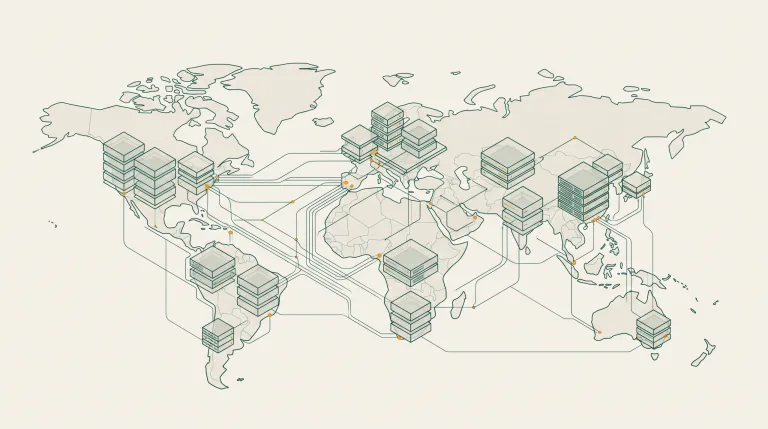
Kamatera runs data centres across North America, Europe, the Middle East and Asia. For a provider of its size that is unusually broad, and it is a genuine reason to consider it: putting a server physically near a specific audience is often worth more than a faster processor.
Servers are provisioned in minutes and can be scaled afterwards, with CPU and memory changes needing a reboot and disk expansion handled online.
The free trial and port 25
Kamatera offers a trial period with credit for new accounts, intended for evaluation. As with every provider, outbound port 25 is closed by default on new accounts and opened on request with a stated legitimate use.
Those two attributes — trial status and whether port 25 is open — are the substantive differences between accounts, which is why the Kamatera account configurations are labelled that way.
Deciding whether it fits
| Requirement | Kamatera | Comment |
|---|---|---|
| Unusual CPU-to-RAM ratio | Strong | The core reason to choose it |
| Server near a specific city | Strong | Broad data-centre list |
| Managed database service | Weak | You run your own |
| Managed Kubernetes | Weak | Not offered as a managed control plane |
| Predictable monthly cost | Good | Hourly with monthly options; configuration drives price |
| Large ecosystem and tutorials | Fair | Smaller community than DigitalOcean or Linode |
Setting up
- Change the password and enable two-factor authentication.
- Review users and API keys in the console; remove anything unfamiliar.
- Create a server: pick the data centre first, then CPU type, cores, RAM and disk.
- Choose SSD storage unless you have a specific reason to use magnetic — the price difference is small and the performance difference is not.
- Attach your SSH key and disable password authentication once you have confirmed key access.
- Configure the firewall for the ports you actually need.
- Set up backups. Kamatera offers both scheduled backups and manual snapshots.
Common questions
Can I change the server size after creating it?
Yes. CPU and memory changes require a reboot; disk can usually be expanded without one. Shrinking a disk is not supported, so start conservative and grow.
What is the difference between type A and type D?
Type A shares vCPU with other tenants with no guarantee, so performance varies with neighbours. Type D gives a dedicated physical core. Use A for non-production and D where consistency matters.
Does Kamatera include a traffic allowance?
Servers include an outbound allowance with per-gigabyte charges beyond it. Check the allowance for your chosen configuration, as it varies.
Is it suitable for hosting client sites?
Yes, and the per-server configurability suits it — each client can get exactly the shape their site needs rather than the nearest plan up.
Where to go next
For sizing a server properly rather than guessing, see how to size a cloud server. Trial and port 25 configurations are on the Kamatera account page.
Read next

Linode: Predictable VPS Hosting Under Akamai
Linode built its reputation on flat pricing and plain documentation. Akamai bought it in 2022.

Azure for People Who Did Not Come From Microsoft
Azure makes most sense once you understand its account hierarchy and its identity model.
What an AWS Account Actually Gives You
AWS is less one product than a catalogue of a couple of hundred.