What an AWS Account Actually Gives You
AWS is less one product than a catalogue of a couple of hundred. Here is the part of it most people actually touch, and what an account opens up on day one.
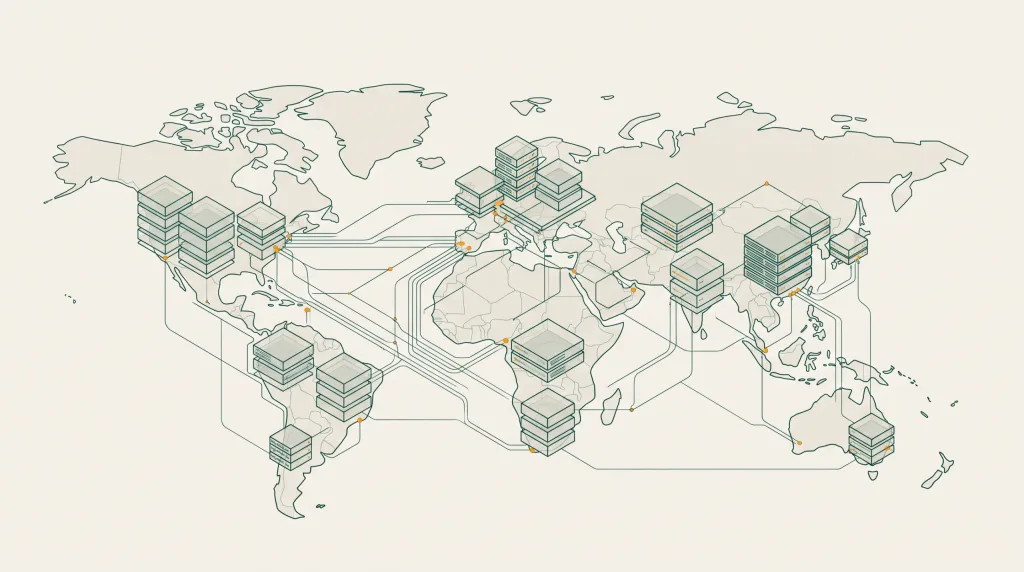
Amazon Web Services is not a product so much as a catalogue of them — well over two hundred services, most of which the average team never opens. An account is simply the container: a billing relationship, an identity boundary and a set of quotas. Everything else is a service you switch on inside it.
This guide covers the part of AWS that most projects actually touch, and what is and is not true of a brand-new account.
The handful of services most accounts really use
If you strip AWS back to what appears in the majority of real deployments, the list is short:
- EC2 — virtual machines. The workhorse. You choose an instance family (general purpose, compute optimised, memory optimised, GPU) and a size, and you pay by the second while it runs.
- S3 — object storage. Files, backups, static assets, data lake input. Priced per gigabyte stored plus requests and egress.
- RDS — managed relational databases: PostgreSQL, MySQL, MariaDB, SQL Server, Oracle. AWS handles patching, backups and failover.
- VPC — the private network your resources sit in. Subnets, route tables, security groups, NAT.
- IAM — identity and permissions. Who can do what, and to which resources.
- CloudWatch — metrics, logs and alarms.
- Lambda — run a function without a server underneath it, billed per invocation and duration.
Most other services are variations on those themes or specialisations for a particular workload.
Regions and availability zones
AWS is split into regions — physically separate clusters of data centres in a geography, such as us-east-1 in Northern Virginia or eu-west-1 in Ireland. Each region contains several availability zones, which are isolated failure domains within that region.
Three things follow from this that catch people out:
- Pricing differs by region. The same instance can cost noticeably more in São Paulo than in Northern Virginia.
- Not every service exists in every region. New services usually land in
us-east-1first. - Data transfer between regions is chargeable, and often the line item that surprises people at the end of the month.
Pick the region closest to your users, unless a specific service or price point pulls you elsewhere.
Service quotas — the limit people hit first
Every AWS account carries service quotas (formerly “limits”): the maximum number of EC2 instances of a given family you can run, how many Elastic IPs you can hold, how many VPCs per region, and so on. A new account starts conservative. It is common to find you cannot launch the instance size you planned until a quota increase is approved.
Quota increases are requested through the Service Quotas console. Straightforward ones are often automatic; large vCPU increases go to a human and can take days.
This is the single biggest practical difference between a fresh account and an established one. An account with usage history behind it tends to carry higher approved quotas, which is why vCPU capacity is quoted on the configurations on the Buy AWS Account page.
How AWS billing is structured
There is no single “AWS price”. Each service meters differently, and a monthly bill is the sum of dozens of small meters:
| Meter | Typical example | Watch out for |
|---|---|---|
| Compute time | EC2 per-second billing while running | Instances left running in a forgotten region |
| Storage | S3 per GB-month, EBS per GB-month | Unattached EBS volumes still bill |
| Requests | S3 GET/PUT, Lambda invocations | Chatty applications making millions of small calls |
| Data transfer out | Per GB leaving AWS to the internet | Usually the biggest surprise on the first bill |
| Managed service premium | RDS, ElastiCache, EKS control plane | Fixed hourly costs that run whether used or not |
Switch on AWS Budgets and Cost Explorer on the first day. Set a budget alert well under what you expect to spend. Both are free and both will save you at some point.
Free tier, credits and what they cover
The AWS Free Tier is three separate things: twelve-month introductory allowances tied to account age, always-free allowances that never expire (such as a monthly Lambda allocation), and short trials of individual services. Promotional credits are different again — a balance applied to the account that offsets charges as they accrue.
Credits do not cover everything. Marketplace purchases and some third-party charges are typically excluded, and credits usually carry an expiry date. Check the balance and its terms in Billing → Credits before planning around it.
Securing the account on day one
- Change the root password to something unique and long.
- Enable multi-factor authentication on the root user, then stop using root for daily work.
- Create an IAM user or role for yourself with only the permissions you need.
- Review existing IAM users, access keys and roles — delete anything you did not create.
- Rotate or delete any access keys you did not generate yourself.
- Turn on CloudTrail so there is an audit record of API activity.
- Set a billing alarm before you launch anything.
Step four matters more than people expect. An account is only as private as its least-known credential, so a full sweep of IAM before you deploy is time well spent. The same advice applies whoever opened the account originally.
Common questions
Do I need a separate account per environment?
Many teams run separate accounts for production, staging and development, joined under AWS Organizations. It gives you a hard blast radius between environments and a clean per-environment bill. For a single small project one account with tags is usually enough.
What is the difference between an instance type and a family?
A family is the class — t for burstable general purpose, m for balanced, c for compute-heavy, r for memory-heavy, g and p for GPU. The number and suffix give the generation and size, so m6i.large is a sixth-generation Intel balanced instance in the large size.
Why is my vCPU quota lower than the instances I want to run?
vCPU quotas are per instance family per region, not per instance. Running eight c6i.2xlarge instances needs a 64 vCPU quota for the standard family in that region, not a quota of eight.
Can I move a resource between regions?
Not directly. You copy it — an AMI, a snapshot, an S3 object — into the new region and recreate the resource there. Plan the region choice before you build rather than after.
Where to go next
If you are weighing AWS against the other hyperscalers, the AWS and Azure comparison sets them side by side. If you already know AWS is the right platform, the AWS account configurations list the vCPU capacity, account age and region for each option, and support is on Telegram if you want a second opinion before ordering.
Read next
IBM Cloud: Enterprise Hybrid, and Quantum on the Side
IBM Cloud is aimed squarely at regulated enterprises running hybrid estates.
Google Cloud: Projects, Data and the Parts That Stand Out
GCP is organised around projects rather than accounts, and its strongest products are in data and machine learning.
Alibaba Cloud: The Practical Route Into Asia-Pacific
If your users are in China or South-East Asia, Alibaba Cloud is often the shortest path to good latency — and the…