CI/CD Pipelines: What a Good One Looks Like
A pipeline that takes twenty minutes gets worked around. A pipeline that takes three minutes changes how a team works.
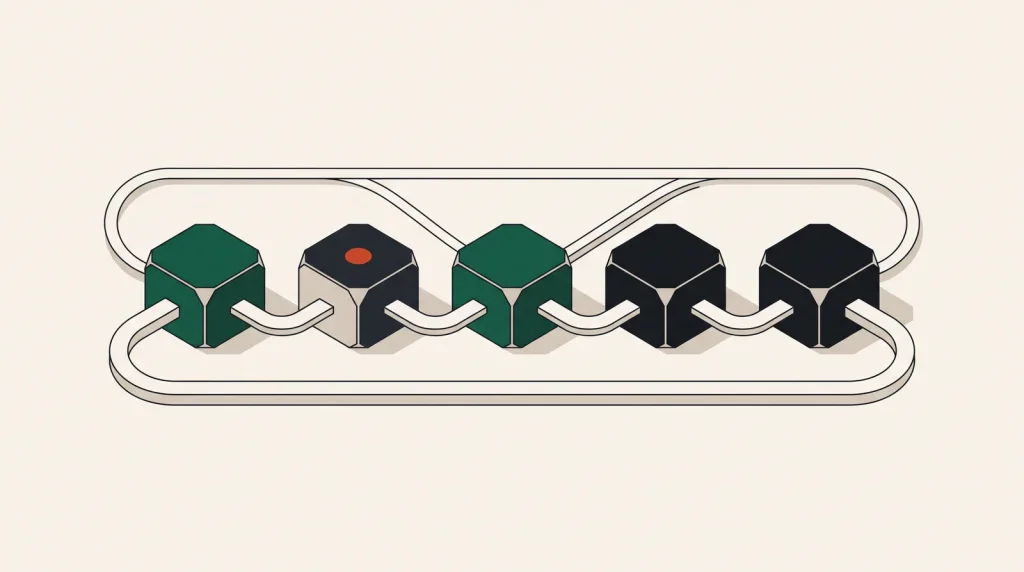
Continuous integration runs your checks on every change. Continuous delivery gets the result to an environment without manual steps. The value of both depends almost entirely on speed and trustworthiness.
The stages
- Trigger — a push or pull request.
- Install — dependencies, ideally from cache.
- Static checks — lint, format, type check. Fast and cheap, so run them first.
- Tests — unit tests in parallel, then integration tests.
- Build — a container image or artefact, tagged with the commit.
- Security scan — dependencies and image layers.
- Deploy to staging — automatic on the main branch.
- Smoke test — a handful of checks against the deployed environment.
- Deploy to production — automatic or gated, depending on your appetite.
Order matters for feedback speed. A lint failure should be reported in thirty seconds, not after a fifteen-minute test suite.
Speed is the feature
| Problem | Fix |
|---|---|
| Reinstalling dependencies every run | Cache the dependency directory by lockfile hash |
| Serial test execution | Shard tests across parallel jobs |
| Rebuilding unchanged images | Layer caching and a registry cache |
| Full pipeline on doc changes | Path filters |
| Slow runners | Larger runners, or self-hosted on a cloud instance |
| Waiting for a queue | More concurrency, or self-hosted runners |
Ten minutes is a reasonable target for a full pipeline; under five is transformative. Beyond twenty, people batch changes and stop trusting it, which removes most of the benefit.
Connect to the cloud without stored keys
The single most important security decision in a pipeline. Rather than storing cloud credentials in CI secrets, use OIDC federation:
- GitHub Actions and GitLab CI both issue a signed token identifying the repository, branch and workflow.
- AWS, Azure and GCP can be configured to trust that token and exchange it for short-lived credentials.
- Nothing long-lived is stored anywhere, so nothing can leak.
- Scope the trust policy tightly — a specific repository and branch, not the whole organisation.
This eliminates the most commonly leaked credential class outright. See API keys and secrets management for the broader picture.
Self-hosted runners on a cloud server
Hosted runners are convenient and metered. At volume, running your own on a cloud instance is often substantially cheaper and faster, since caches and images stay warm locally.
- Use a dedicated-CPU instance; CI is sustained load and shared vCPU throttles.
- Isolate runners from production networks and credentials.
- Clean the workspace between jobs, or builds contaminate one another.
- Autoscale or schedule them, so they are not running idle overnight.
- Consider spot instances, since an interrupted build is simply re-run.
Deployment strategies
- Rolling — replace instances gradually. Simple, and briefly runs two versions at once.
- Blue-green — deploy a full parallel environment and switch traffic. Instant rollback, double the resources during the switch.
- Canary — send a small percentage of traffic to the new version and watch metrics. Best risk reduction, most machinery.
- Recreate — stop everything, start the new version. Downtime, but occasionally the only option for a schema change.
Rolling is the sensible default. Blue-green is worth it when rollback speed matters. Canary is worth it at a scale where a bad release affects many users before anyone notices.
Make rollback trivial
Deployment safety is mostly about how quickly you can undo. Tag every image with the commit, keep the previous version deployable, and make rollback a single command that anyone on the team can run without thinking.
Database migrations are the exception, since they are not always reversible. Write migrations to be backward compatible with the previous application version, deploy the migration first, then the code. It is more work and it is what makes rollback actually possible.
Common questions
Should production deploys be automatic?
With good tests, fast rollback and monitoring, yes — and it produces safer releases because each one is small. Without those, a manual gate is a reasonable interim.
How do I handle secrets in the pipeline?
OIDC for cloud access, a secret manager for everything else, masked variables for the few remaining. Never in the repository, never echoed in logs.
Do I need a separate staging environment?
Yes, and it should resemble production closely enough that passing there means something. Shut it down outside working hours to keep the cost reasonable.
What if tests are flaky?
Fix or delete them. A suite people re-run until it passes provides no signal and trains the team to ignore failures.
Where to go next
Read next
Logs, Metrics and Traces: Which One Answers Which Question
Three kinds of telemetry, three kinds of question. Collecting all three badly is worse than collecting two well.
VM, Container Platform, Serverless or PaaS: Choosing a Deployment Target
Four ways to run the same application, with very different operational and cost profiles.
Development, Staging and Production: Keeping Them Honest
A staging environment that differs from production in the wrong ways gives false confidence, which is worse than no…